What it looks like
A plain-language tour of the Matura app, page by page, with screenshots.
The Matura app lives at app.usematura.xyz. You connect a crypto wallet
(on the BNB Chain test network), and the app is organized into three pages you switch between from the
top navigation bar: Vaults, Portfolio, and Issuer Demo. Matura never touches your wallet's
secret key — when an action needs a signature, your own wallet asks you to approve it.
Here's what each page is for.
Portfolio
Your home base — everything about your money lives here, split into two tabs: Positions and Activity.
Positions
Your balance and your claims — the income you're owed, how much of each you've already turned into cash, and what's still available to finance.
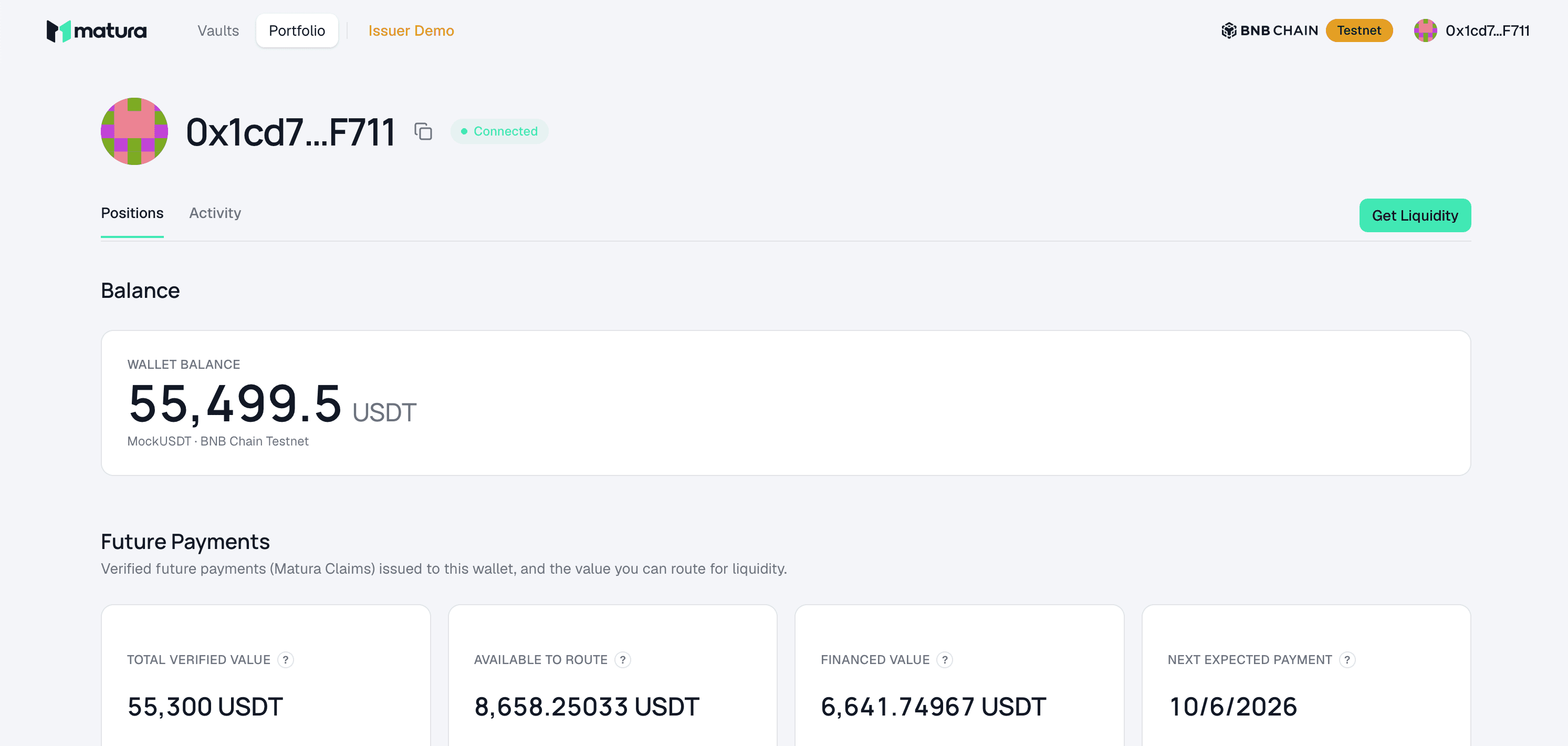
Each claim shows its state (attested → eligible → funded → paid), its face value, and how much is still available to route for liquidity.
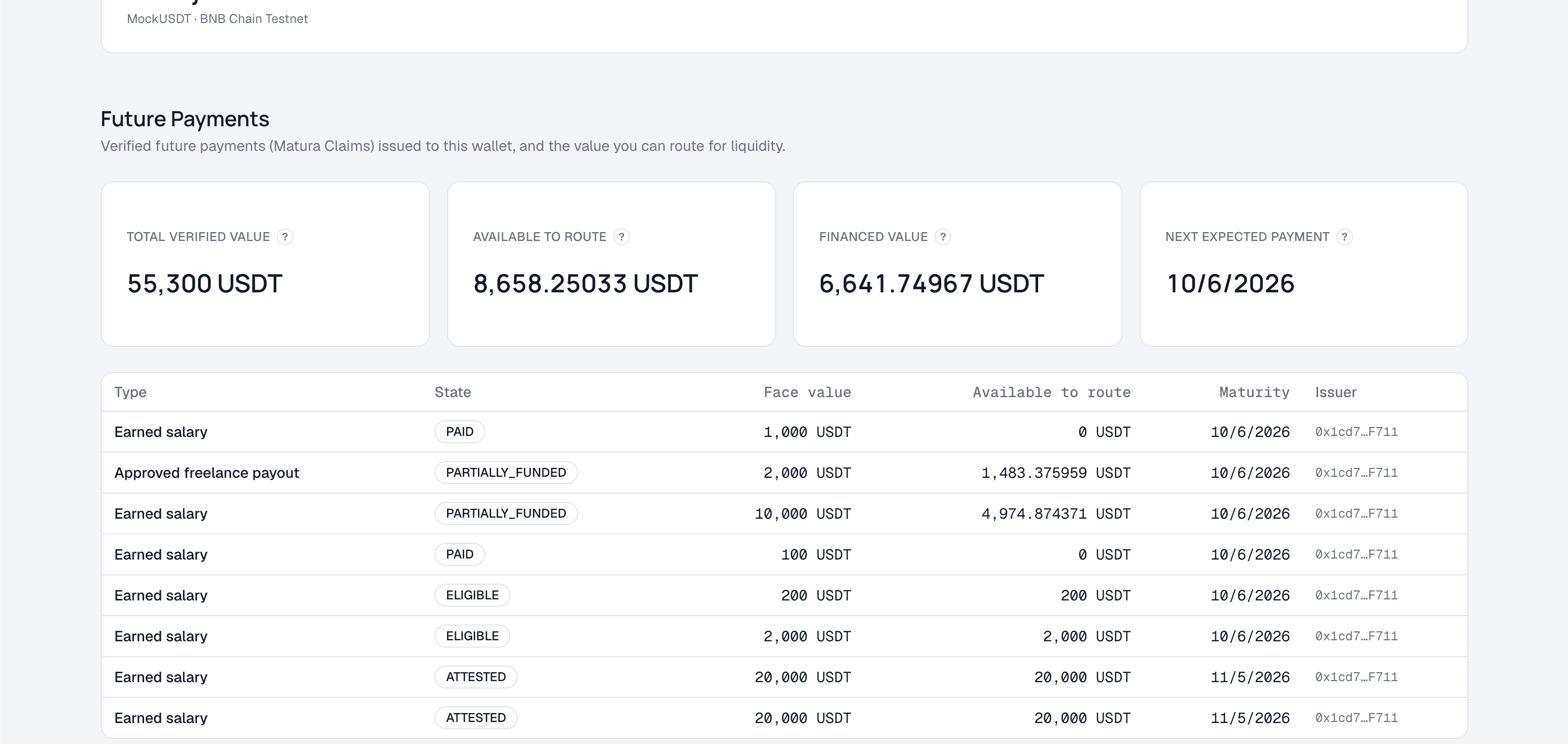
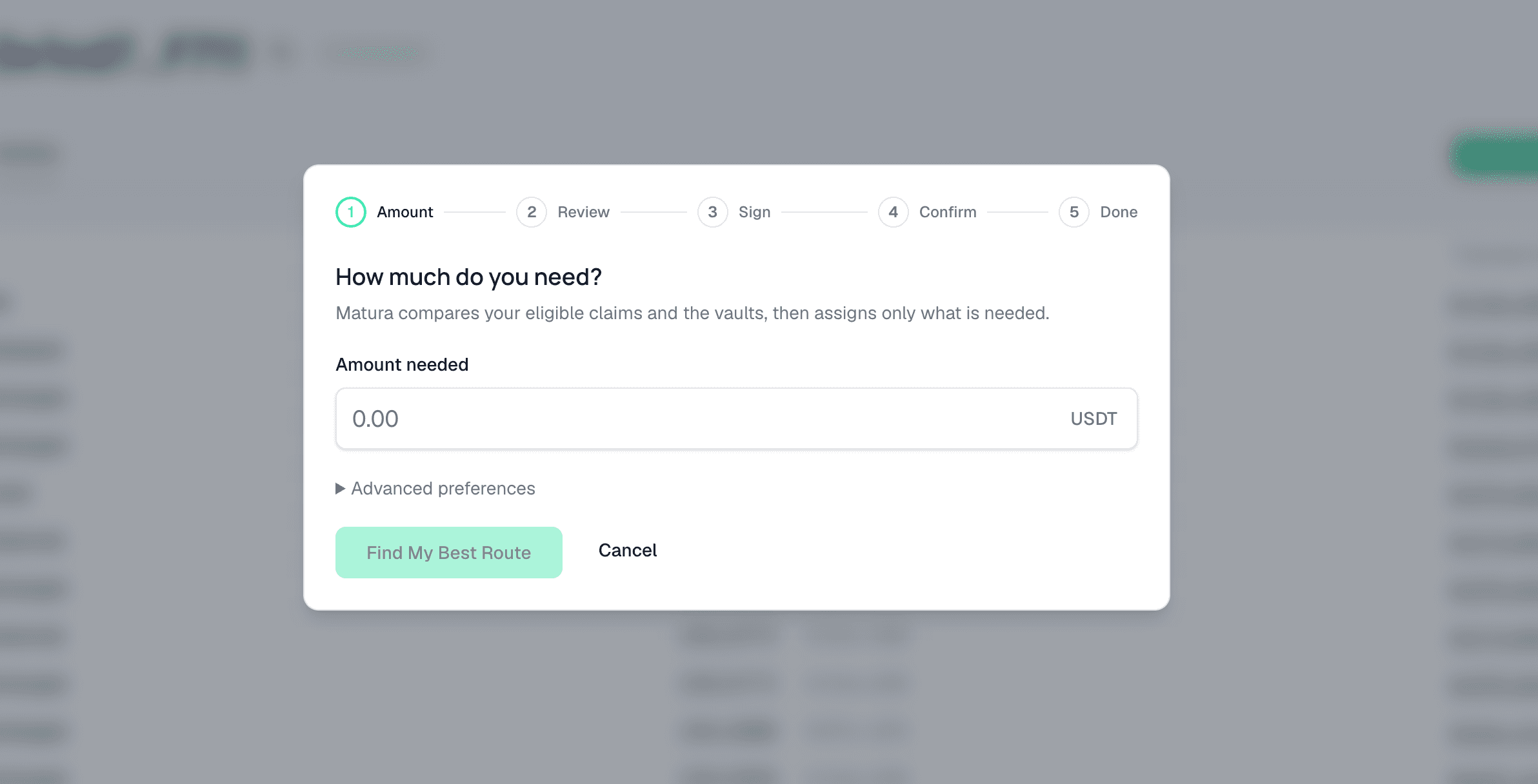
From here, the Get Liquidity button starts the financing flow: you enter how much you need, and Matura compares your eligible claims against the competing vaults and finds the cheapest route — review → sign → confirm, and the cash is yours.
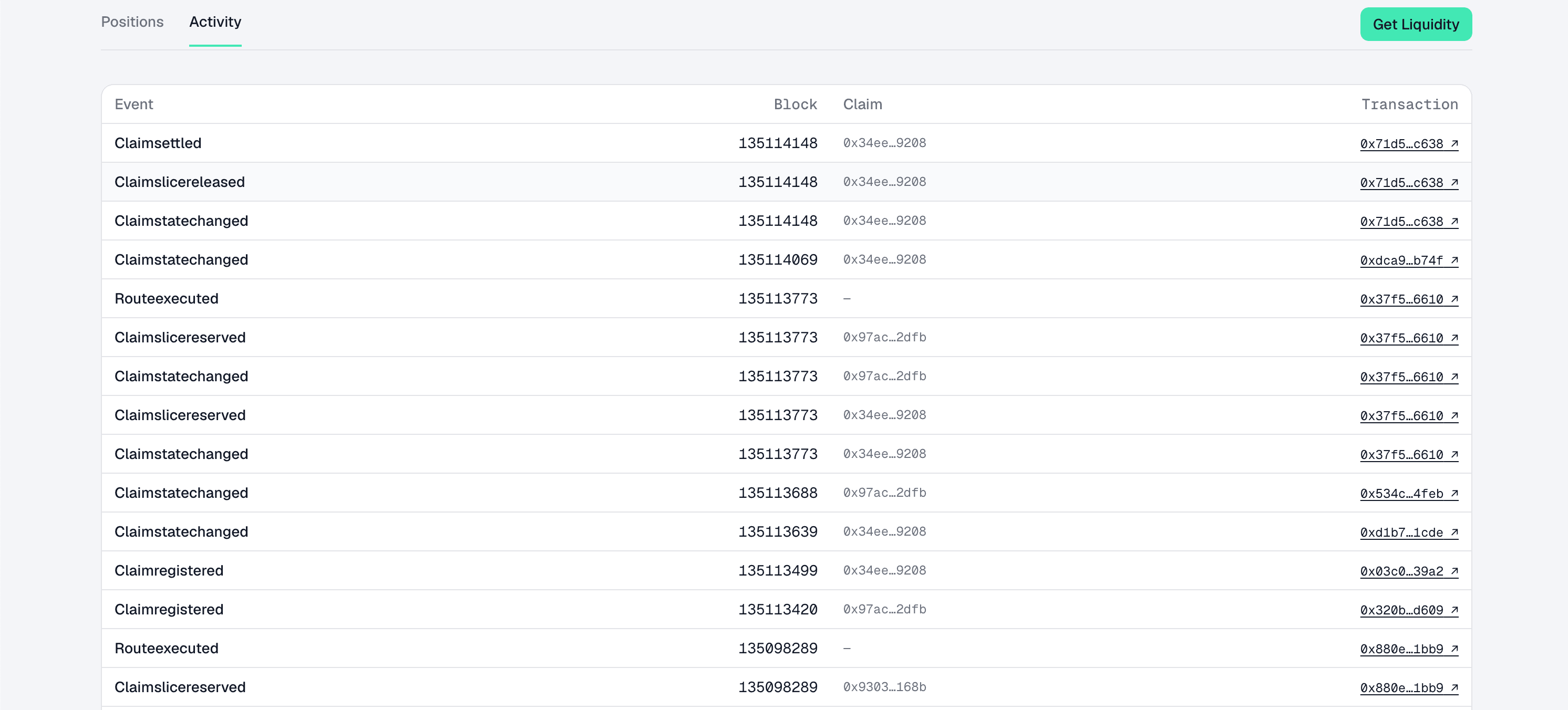
Activity
Your history: every financing and settlement event, in order, each linking to the transaction on the public block explorer (BscScan) so anyone can verify it happened.
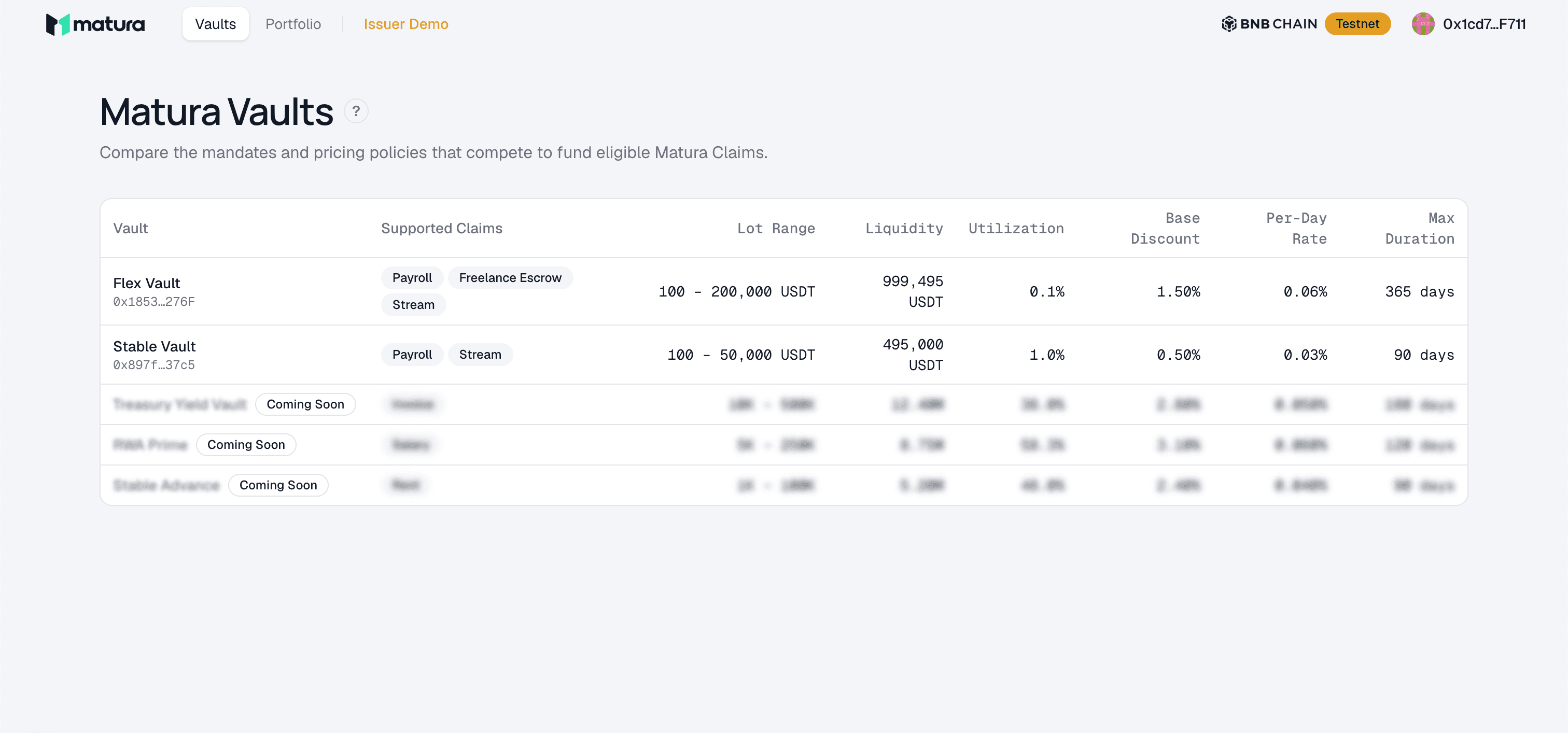
Vaults
The lenders' side. Each vault is a pool of capital with its own mandate (which claim types it accepts) and pricing. This page compares them — the choices Matura's best-execution engine picks between on your behalf.
Issuer Demo
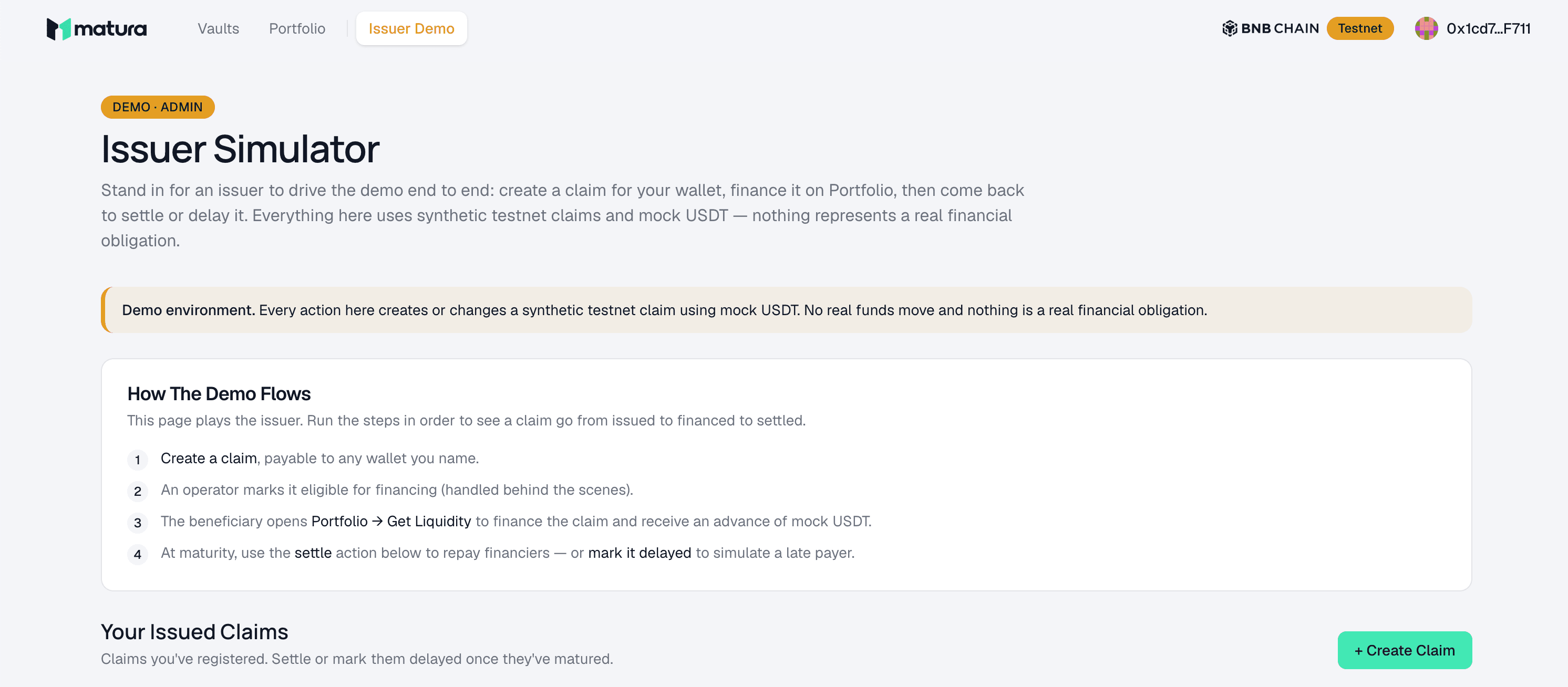
A demo tool. In the real world, an employer or platform would vouch for your income by signing a digital attestation. For this testnet demo, the Issuer Demo page lets you play that role yourself — so you can create a claim and drive the whole flow end to end.
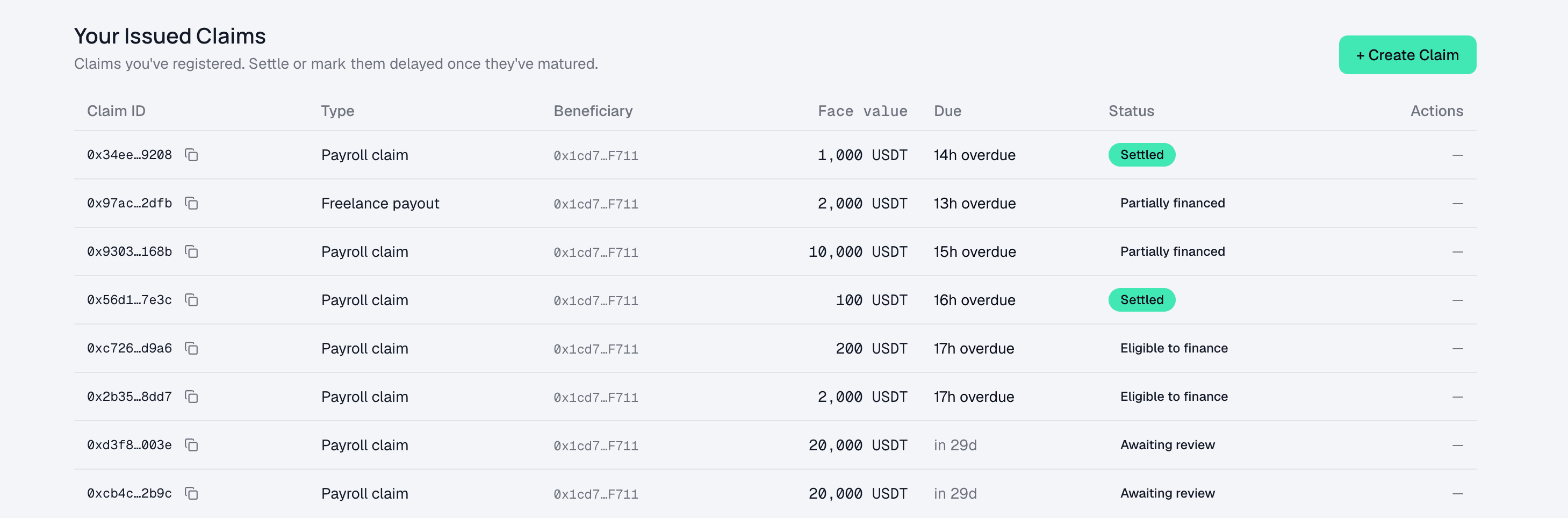
It lists the claims you've issued, which you can settle (or mark delayed) once they mature.
This is a testnet app — connect a test wallet and try it yourself at
app.usematura.xyz.